
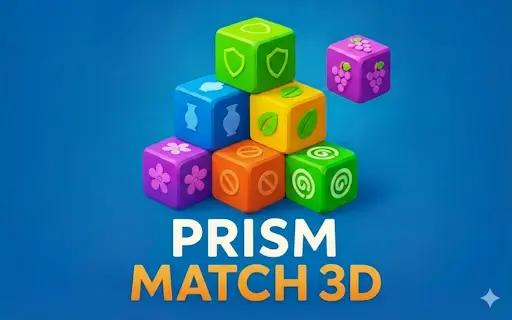
🔷 Prism Match 3D
Prism Match 3D is a relaxing 3D tile-matching puzzle where you rotate a prism, uncover hidden tiles, and match 3 of the same kind to clear the level. Think ahead, keep your tray tidy, and enjoy the satisfying chain of clears.
About the Game
Instead of swapping tiles on a flat board, you explore a 3D structure. Only uncovered tiles can be selected, and every pick drops into your tray. When you collect three identical tiles, they merge and disappear automatically, freeing up space.
How to Play
- Rotate the 3D prism to inspect stacked layers and spot free tiles.
- Select an uncovered tile to drop it into the tray.
- Match 3 identical tiles in the tray to clear them.
- Your tray has 7 slots, so avoid filling it with too many different tiles.
- Use tools like Undo, Retrieve (up to 3 tiles), or Shuffle when you’re stuck.
Tips & Tricks
- Track what’s already in your tray and prioritize completing triples quickly.
- Rotate often: the best move is sometimes on the “back side” of the prism.
- Don’t collect one of everything. That’s how the 7-slot tray fills up fast.
- If you made a risky pick, Undo can save a good run.
- Use Shuffle when the board feels “locked” behind covered tiles.
Game Controls
- Desktop: click to select tiles; drag/swipe (or use on-screen controls) to rotate the prism.
- Mobile: tap to select tiles; swipe/drag to rotate the prism.
Features
- 3D tile-matching with rotation and hidden layers
- Match-3-in-the-tray clearing with automatic merges
- 7-slot tray challenge that rewards planning
- Helpful tools: Undo, Retrieve, Shuffle
- Plays in-browser on desktop and mobile (portrait or landscape)
Prism Match 3D — Frequently Asked Questions
How do I clear tiles?
Select uncovered tiles to place them into the tray. When three identical tiles are in the tray, they merge and vanish automatically.
Why can’t I select some tiles?
Only tiles that are not covered by other tiles can be selected, so rotate the prism to find free ones.
What happens if my tray fills up?
The tray has 7 slots. If it fills before you clear triples, you can get stuck, so try to complete matches quickly.
What do Undo, Retrieve, and Shuffle do?
Undo reverses a move, Retrieve can take back up to 3 tiles, and Shuffle rearranges the board to reveal new matching chances.
Can I play on mobile?
Yes, it works in your mobile browser and supports touch controls.
Why Play Prism Match 3D
It’s a calm brain workout with a satisfying 3D twist. Rotate, plan, and clear triples in quick sessions whenever you want a puzzle break.